Remote for Panasonic10.5
Publisher Description


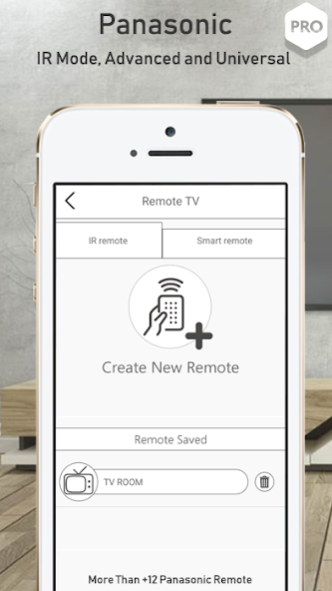
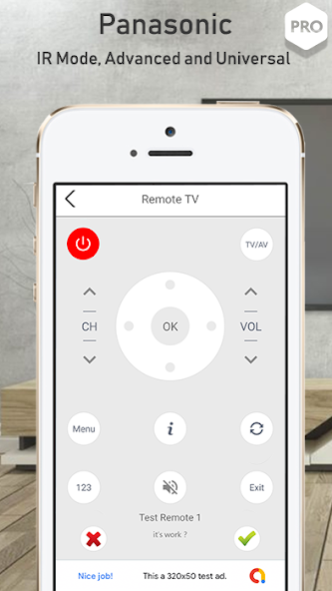
Remote for Panasonic is a real virtual Control application created and developed by professional team to replaced the real tv remotes.
This application contains high functionality that easily help users to take control of there televisions.
Awesome Features of Panasonic remote:
- Power On/Off button.
- Adjust Volume up/down.
- Channel digits buttons.
- Menu button with up / down, left and right controls.
- Other necessary buttons for controlling television for easy.
- Quick access to your favorite remote saved.
- Support Most phones and tablets with IR blasters.
- Used offline, no connection required.
How to Configure the remote control for Panasonic:
- Select mode depend of your television model.
- Test all available remotes, choose the compatible one.
- Save it for easy access in next time.
DISCLAIMER:
• No Relation and No Affiliated with any brand.
• IR blaster is required or use external.
• Read and check privacy policy.
We always working hard to add more features, Your feedback is very important for us.
Thanks & Enjoy.
About Remote for Panasonic
The company that develops Remote for Panasonic is Remote Control Tv. The latest version released by its developer is 10.5.
To install Remote for Panasonic on your Android device, just click the green Continue To App button above to start the installation process. The app is listed on our website since 2019-09-30 and was downloaded 13 times. We have already checked if the download link is safe, however for your own protection we recommend that you scan the downloaded app with your antivirus. Your antivirus may detect the Remote for Panasonic as malware as malware if the download link to com.pana.universal.tv.remote is broken.
How to install Remote for Panasonic on your Android device:
- Click on the Continue To App button on our website. This will redirect you to Google Play.
- Once the Remote for Panasonic is shown in the Google Play listing of your Android device, you can start its download and installation. Tap on the Install button located below the search bar and to the right of the app icon.
- A pop-up window with the permissions required by Remote for Panasonic will be shown. Click on Accept to continue the process.
- Remote for Panasonic will be downloaded onto your device, displaying a progress. Once the download completes, the installation will start and you'll get a notification after the installation is finished.
